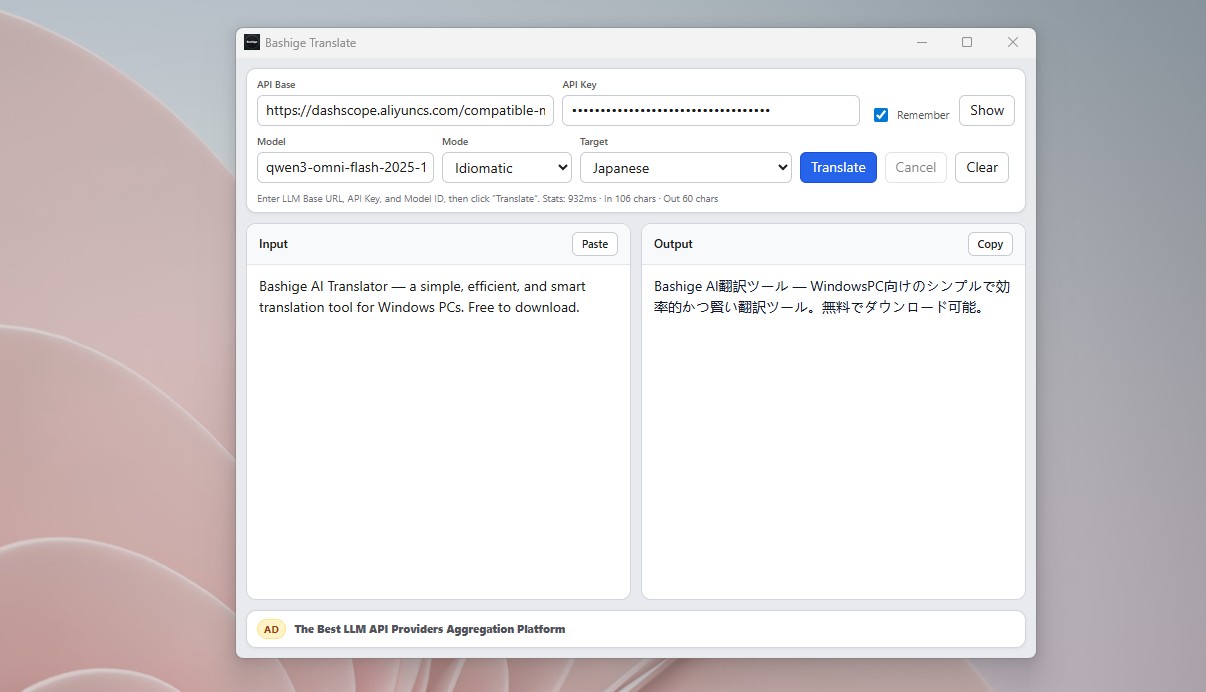
Bring your own LLM—fast, natural translation on Windows. One portable app, no install, free.
Tired of mediocre results from traditional translators? Tired of fixed monthly subscriptions? Want a compact tool that runs natively on your Windows desktop?
It is a single-file translator for Windows. Download it here: https://github.com/bashigestudio/AI-Translator/releases. One executable—copy it to a USB drive and use it anywhere. No installer required.
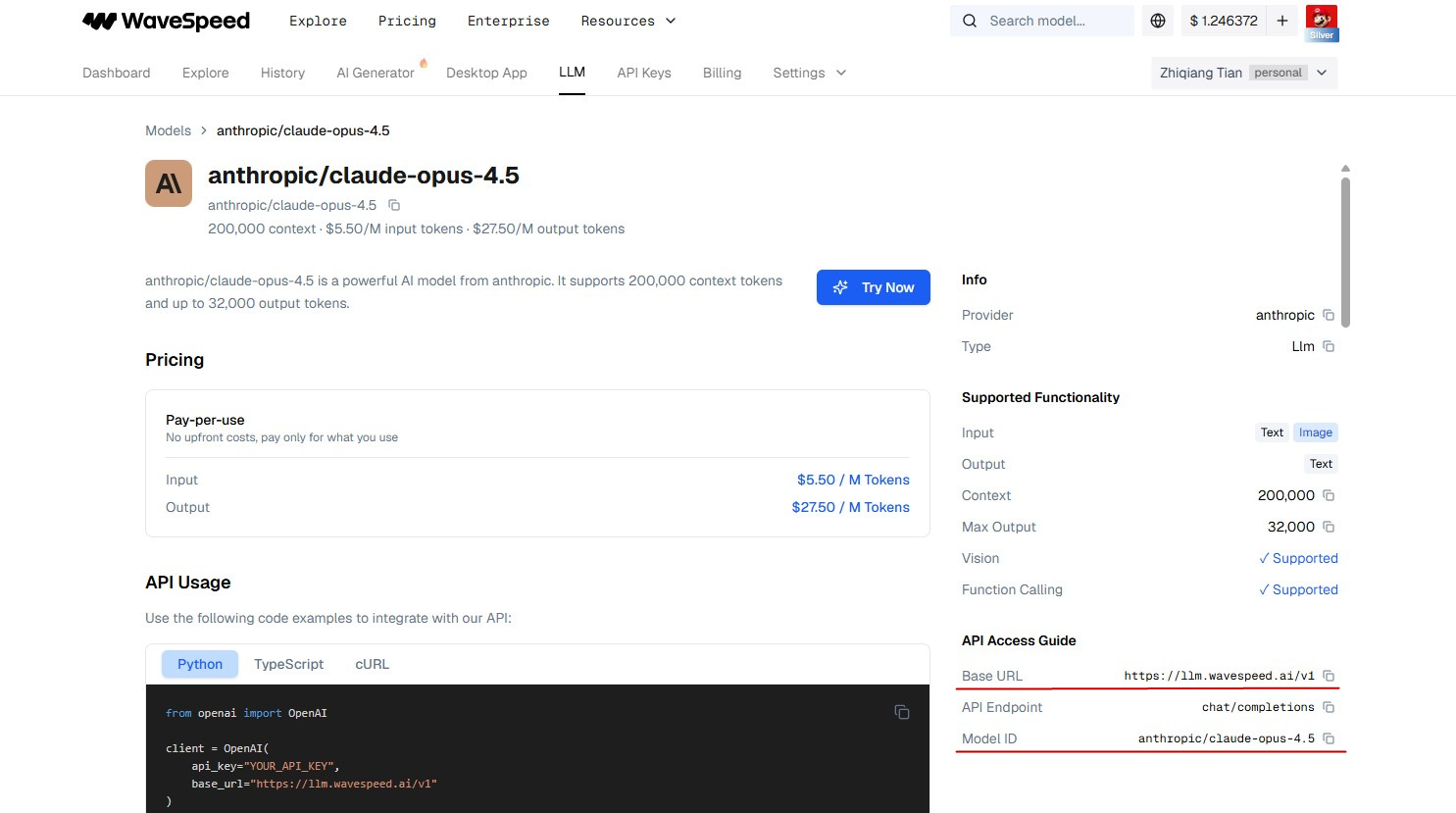
It is powered by large language models. Point it at the model you prefer—OpenAI, Gemini, Qwen, MiniMax, and more—by entering the Base URL, API key, and model ID from your LLM provider (for example WaveSpeed AI).
Three translation modes—Idiomatic, Faithful, and Balanced—so you can match the tone you need. We recommend Idiomatic when you want the result to read like fluent, native text.
Your chosen model does the work. Translate into or out of Chinese, English, Japanese, Vietnamese, Korean, German, French, and many other languages.
The app is completely free. Unobtrusive ads help cover hosting and development; they do not get in the way of normal use.
You could paste text into Gemini or another chat app, but a dedicated desktop tool is faster and easier for day-to-day use.
I hope this translator helps boost your office productivity.
Using WaveSpeed AI as an example: sign in with Google or GitHub, open the API Keys page, and create a key. Treat your API key like a password—store it safely and never share it publicly.
Add credit to your account (minimum US $5).
Then open the LLM page, pick a model you want (for example claude-opus-4.5), and paste the Base URL, model ID, and API key into the translator.
Yes. The app is free to use. It shows unobtrusive ads that do not get in the way of normal use; ad revenue helps cover hosting and development.
You connect any OpenAI-compatible endpoint. Examples include OpenAI, Google Gemini, Qwen, MiniMax, and other providers that supply a Base URL, API key, and model ID.
No. It is a single executable file. Download it from GitHub Releases, run it, or copy it to a USB drive—no installer is required.
Download the latest release from the official GitHub releases page: github.com/bashigestudio/AI-Translator/releases
Yes, for translation. The app calls the LLM provider you configure over the network. It does not replace an offline dictionary.
They control translation style. Idiomatic aims for fluent, native-sounding text; Faithful stays closer to the source; Balanced sits in between. Idiomatic is recommended for most office and general use.
Questions or issues? Email bashigestudio@mail.ru.